ČEZ
Energy
52,000 reports a day across CZ, SK and HU, in one system.

One conversation forges the whole process template: data, forms, workflow and publication. Edit anything by hand, any time.
Four parts that fit. Studio designs the process; the Platform runs it, with the Designer to model and the Portal to work; Plugins extend it; Forge AI sits underneath, governed.
Data model, forms, BPMN workflow, version settings and publication, on one surface. Forge Studio plans first, asks before guessing, and builds where you can watch.
You watch it build. Every element it touches pulses teal, and you can take over any field at any time.
Describe the process.
I’ll forge it.
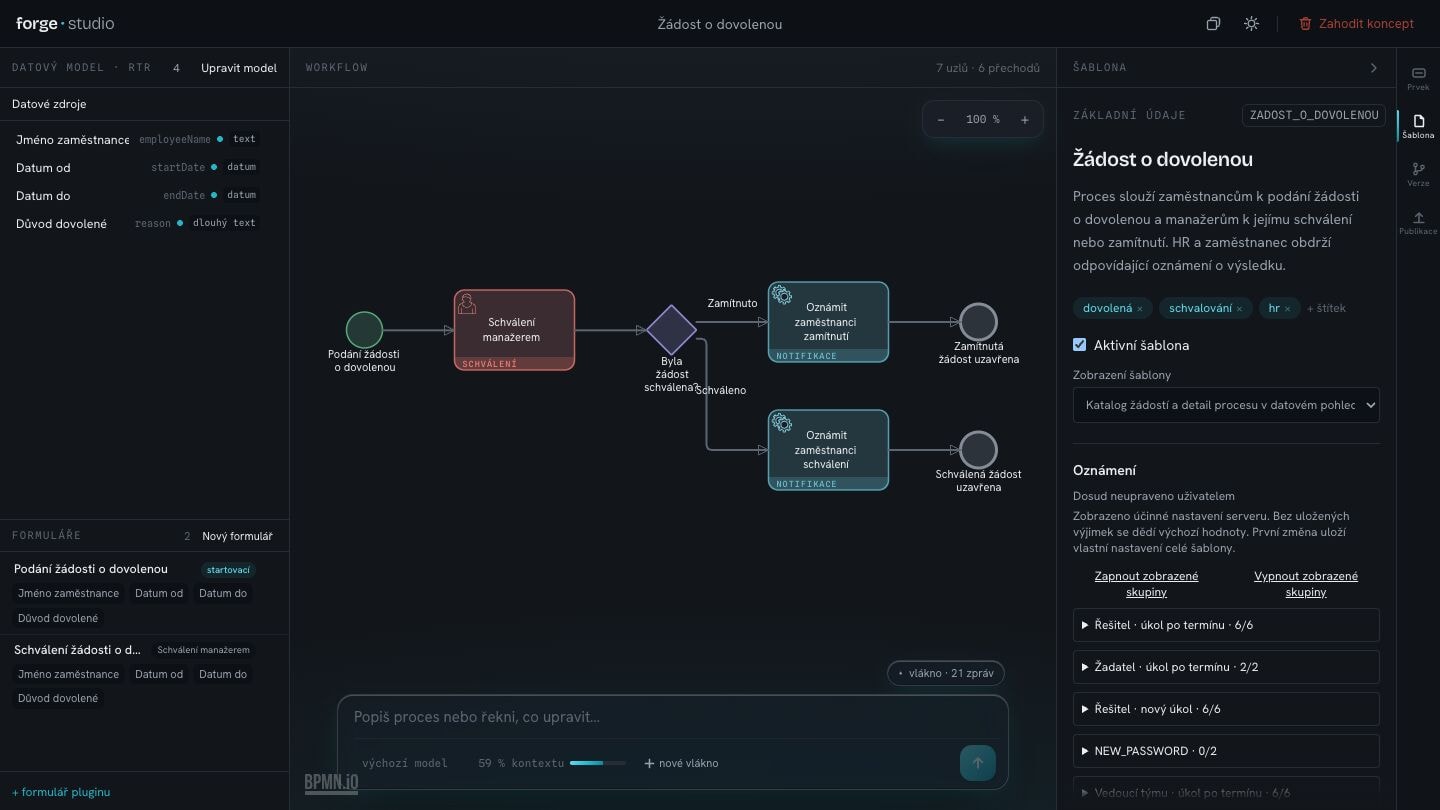
The same validation rules as the Designer. It corrects its own errors, and a publish gate blocks templates that could not run. Publish to TEST, STAGE or PRODUCTION.
Edit any of the 96 Designer-parity fields directly, point at any element to reference it, rewind, or clone a version.
Runs standalone, inside the Designer, or as a <forge-studio> web component.
The Designer to model, the Portal to work. One ⌘K spotlight, one click between them, and a task inbox built for triage.
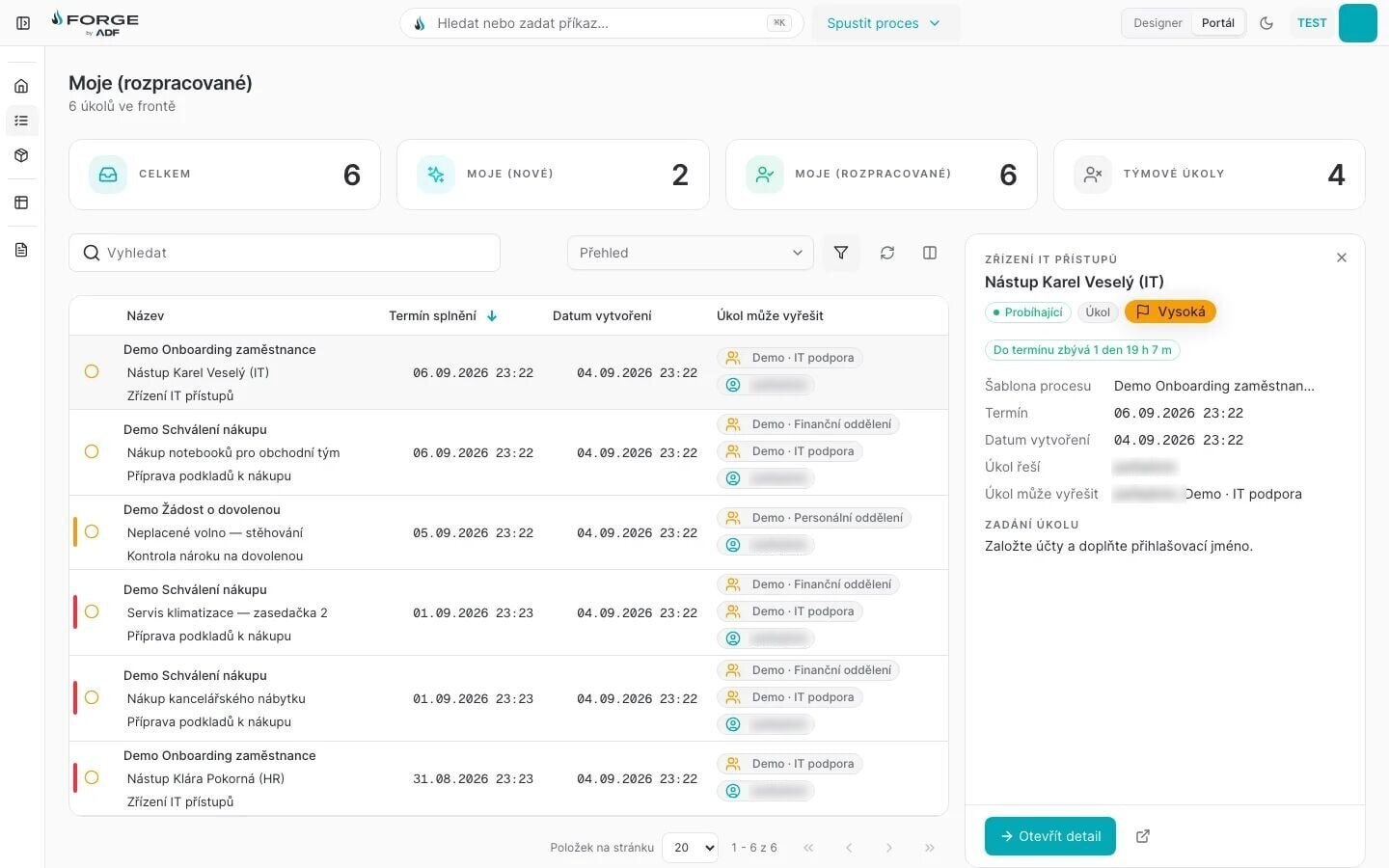
⌘K spotlight“Search or run a command…” from anywhere, in both faces.
Designer | PortalOne click between modelling and work.
Live SLA countdownEvery task shows the time left: here, 1 day 19 h.
Preview paneTriage from the queue. The task then opens as a focused layer with a sticky Complete.
Approval, recommending and task phases, e-signing, notifications, webhooks, integrations, custom scripts, timers, escalations and milestones, promoted from Dev to Test, Acceptance and Production.
Queues, filters and a preview pane. A task opens as a focused layer with a live SLA countdown and a sticky Complete; it works on a phone and prints as a document.
⌘J opens the assistant in the Designer: it plans, asks and builds on the live canvas, and Ctrl+Z undoes a whole generation.
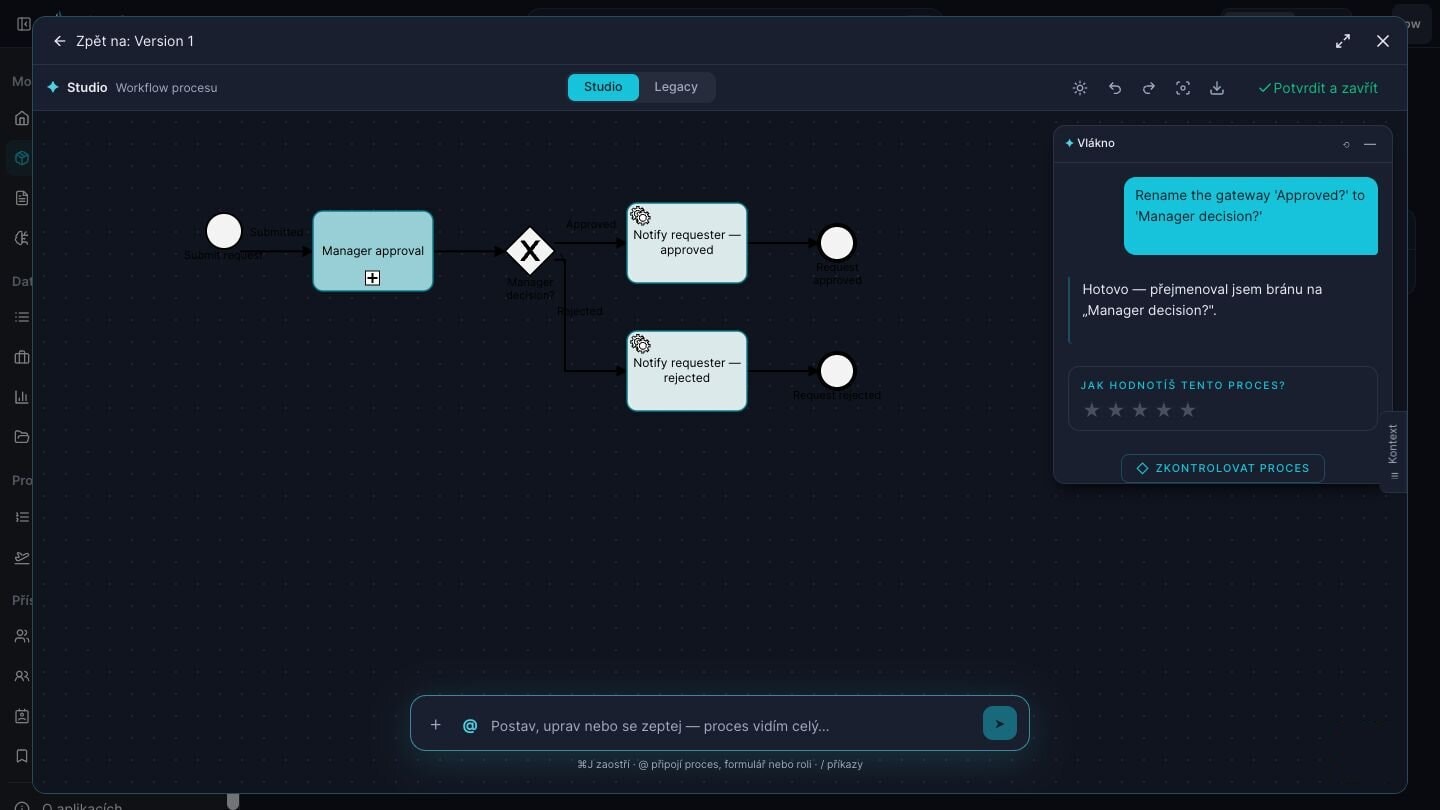
Light and dark, first-classA full rebrand is one theme file.
⌘J assistantRenames a gateway on request, then offers to check the process.
Zero Java per plugin, and the core stays untouched. Plugin screens mount inside the Portal’s task, in its theme, in Czech and English; the Portal keeps Complete.
import { definePlugin } from '@forge-plugins/server/define';
import { z } from 'zod';

export const plugin = definePlugin({
  name: 'notes',
  version: '0.1.0',
  displayName: { cs: 'Poznámky', en: 'Notes' },
  screens: { main: { title: { cs: 'Poznámky', en: 'Notes' } } },
  state: {
    schema: z.looseObject({ note: z.string().max(2000).optional() }),
    maxBytes: 16_384,
  },
  ops: {
    saveNote: {
      privileges: ['TASKS'],
      task: true,
      effects: true,
      timeoutMs: 5_000,
      input: z.object({ note: z.string().max(2000) }),
    },
  },
});
bun forge new <name>bun forge dev <name>bun forge doctorForge AI grounds Studio and the ⌘J assistant in the platform’s own element rules. Some elements it places alone, some it leaves for a human, some it never touches.
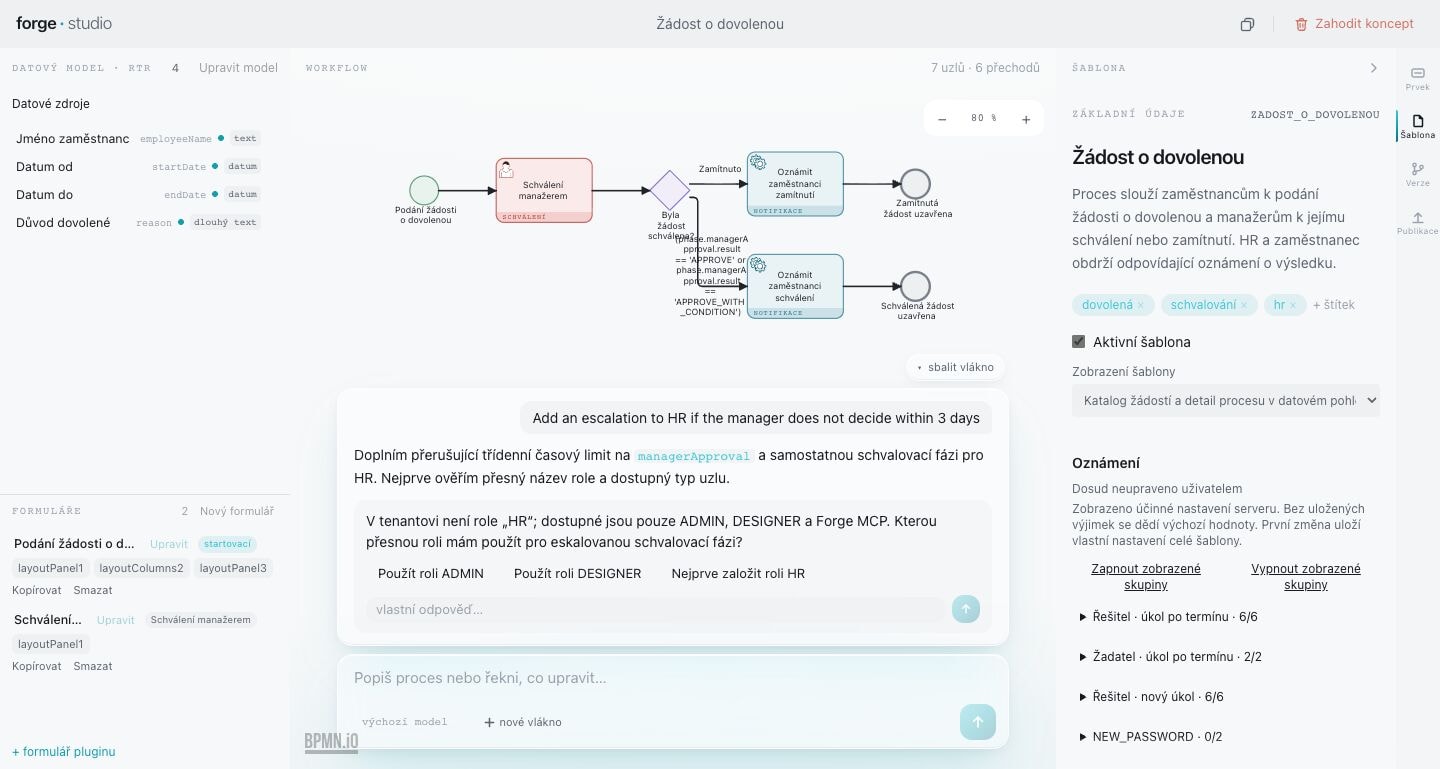
“Add an escalation to HR if the manager does not decide within 3 days.”
There is no role ‘HR’ in this workspace — only ADMIN and DESIGNER. Which role should I use?
Energy
52,000 reports a day across CZ, SK and HU, in one system.
Retail
Financial processes at till scale: 30,000 reports a day.
Telco
The HR agenda, with integrated e-signature.
Insurance
Central BPM for 6 insurance lines and 167 processes.
Also in production at NAKIT and FN Motol.
See what each of them runsBring one real process to the demo. We describe it to Studio together and you watch it take shape on a working platform — not on slides.