
Forge Platform
Model it in the Designer. Work it in the Portal.
One product with two faces. The Designer models real processes and promotes them from Dev to Production; the Portal is where teams triage, decide and complete the work, at a desk or on a phone.
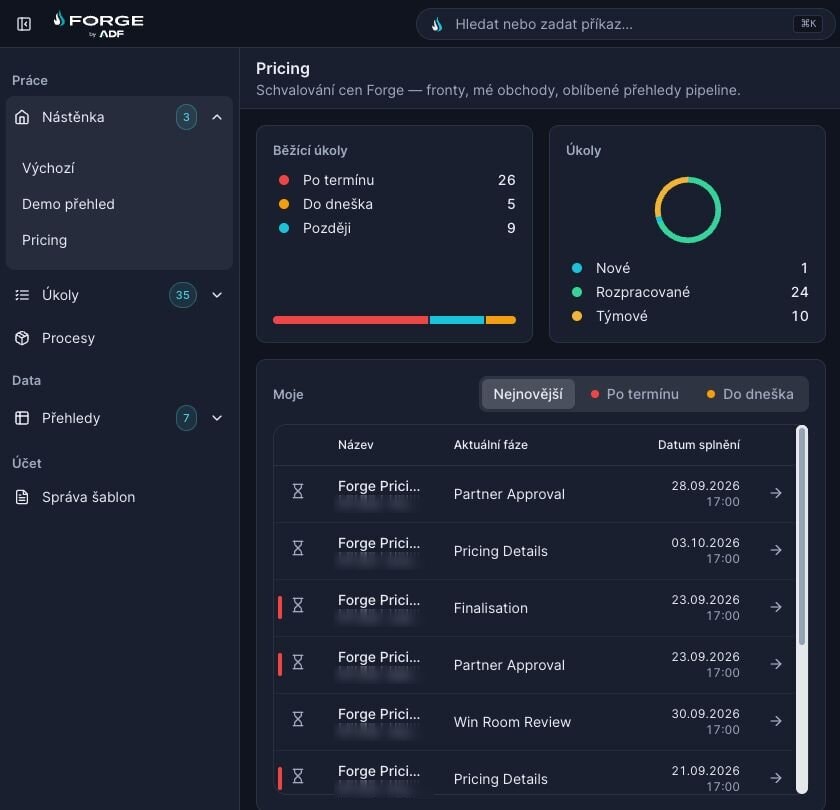
The Portal: triage the queue, finish the task.
Queues with counts, filters and a preview pane show what is urgent before anyone opens a thing. A task opens as a focused layer, with the time left and Complete always in reach.
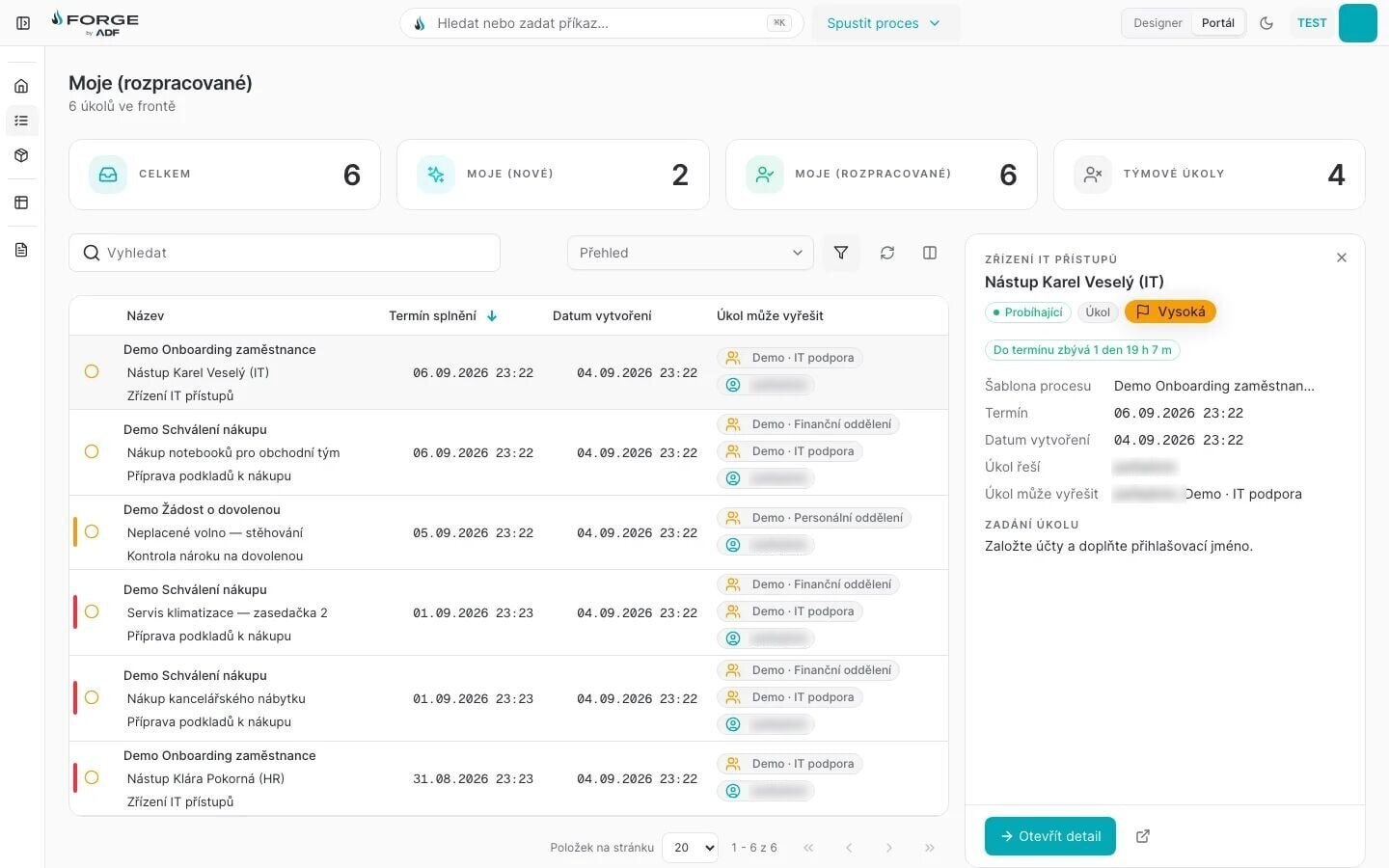
⌘K spotlight“Search or run a command…” from anywhere, in both faces.
Designer | PortalOne click between modelling and work.
Live SLA countdownEvery task shows the time left: here, 1 day 19 h.
Preview paneTriage from the queue. The task then opens as a focused layer with a sticky Complete.
Queues and filters
My new tasks, my tasks in progress, team tasks: each is a queue with its count. Filter, sort by deadline and read a task in the preview pane without leaving the list.
A task as a focused layer
The task opens over the queue with a live SLA countdown, “1 day 19 h left”, and a sticky Complete that stays in view however long the form is.
Works on a phone
Queues and tasks fit a phone screen, so a decision does not wait until someone is back at a desk.
Prints as a document
Print a task and you get a readable document, not a screenshot of a web page.
The Designer: model the process as it really runs.
The data model, the forms and the BPMN workflow in one place, checked by the same rules Forge Studio uses.
Models real processes
- Phases
- Approval, recommending and task phases.
- Signatures and notifications
- E-signing inside the process, and notifications to the people involved.
- Connections
- Webhooks, integrations and custom scripts.
- Time
- Timers, escalations and milestones.
AI where you model
⌘J opens the assistant. It plans, asks when something is missing and builds on the live canvas; Ctrl+Z undoes a whole generation.
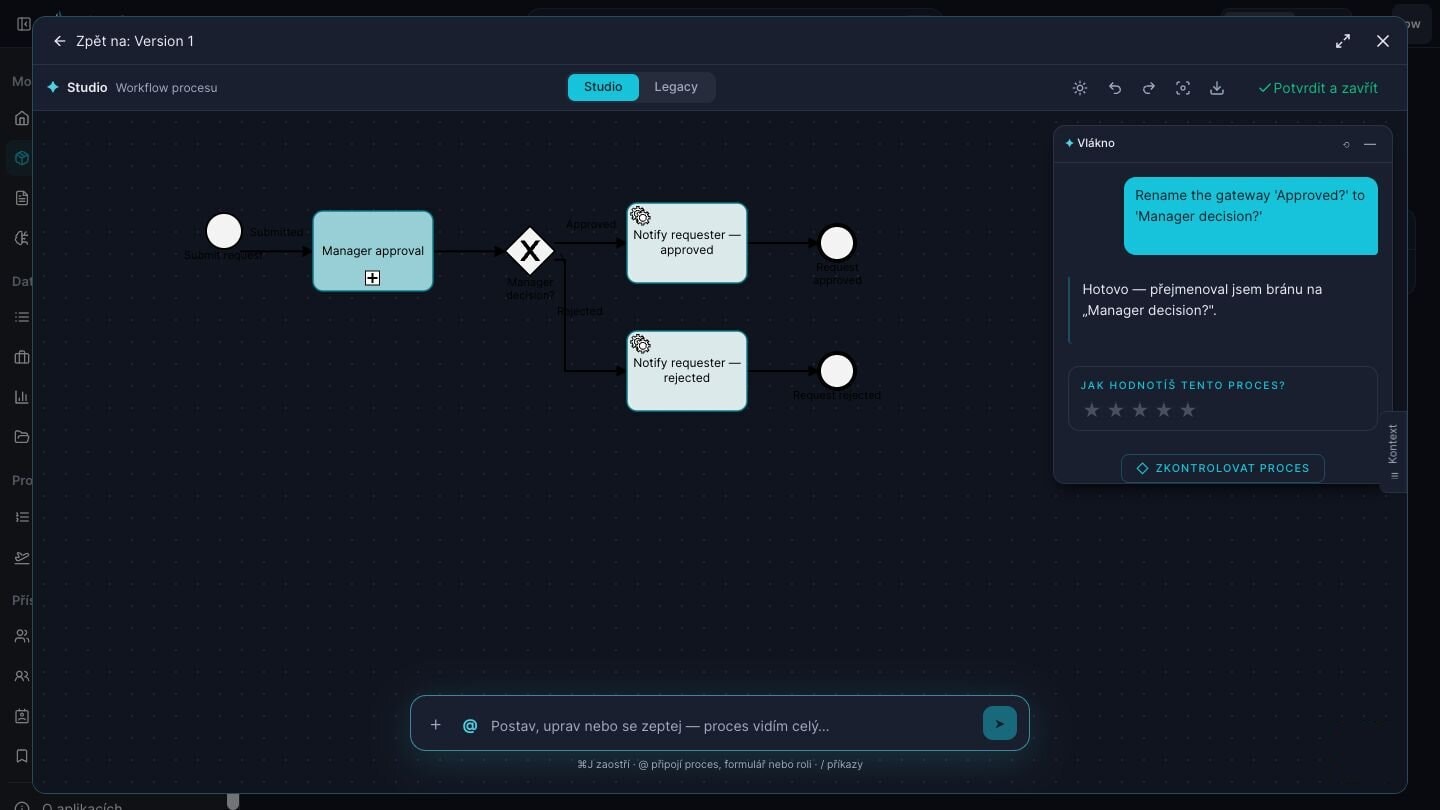
On the live canvasChanges land on the diagram you are editing. Ctrl+Z undoes a whole generation.
⌘J assistantRenames a gateway on request, then offers to check the process.
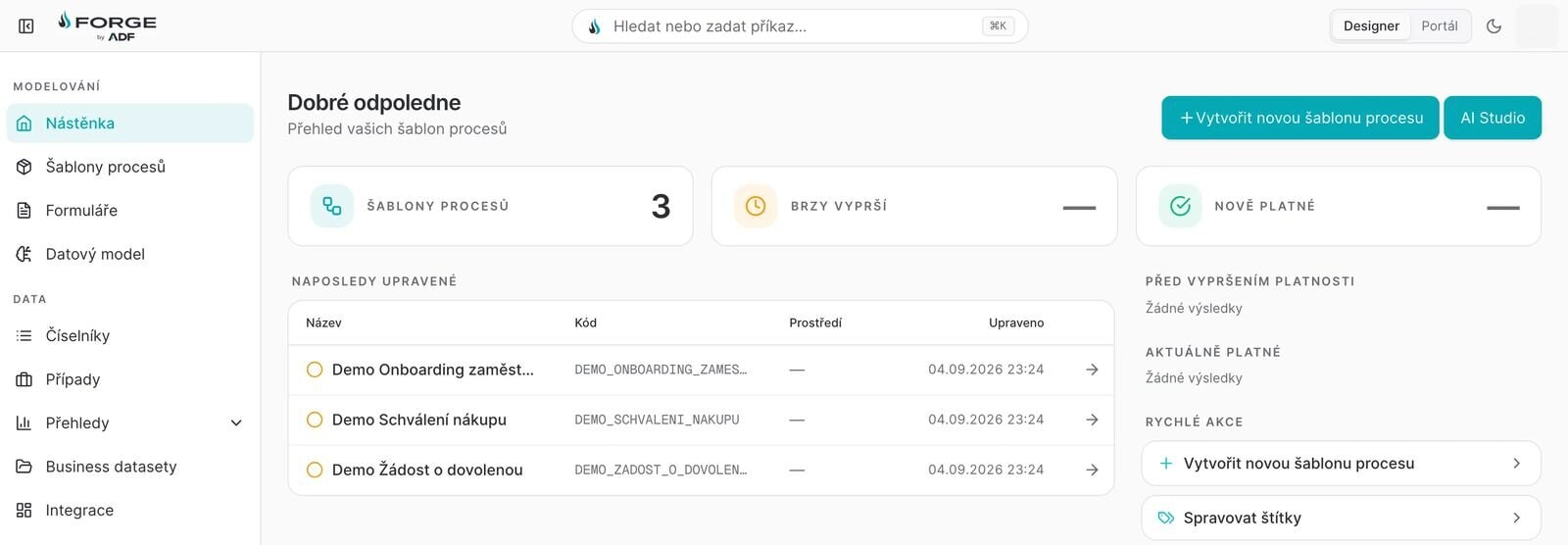
Forge Studio, one button away
The AI Studio button on the Designer dashboard opens Forge Studio, which writes the same templates you model by hand.
One template, four environments.
Templates are promoted one step at a time, from Dev through Test and Acceptance to Production.
- DevThe template is modelled and tried out.
- TestIt runs against test data.
- AcceptanceThe business signs it off.
- ProductionTeams work it in the Portal.
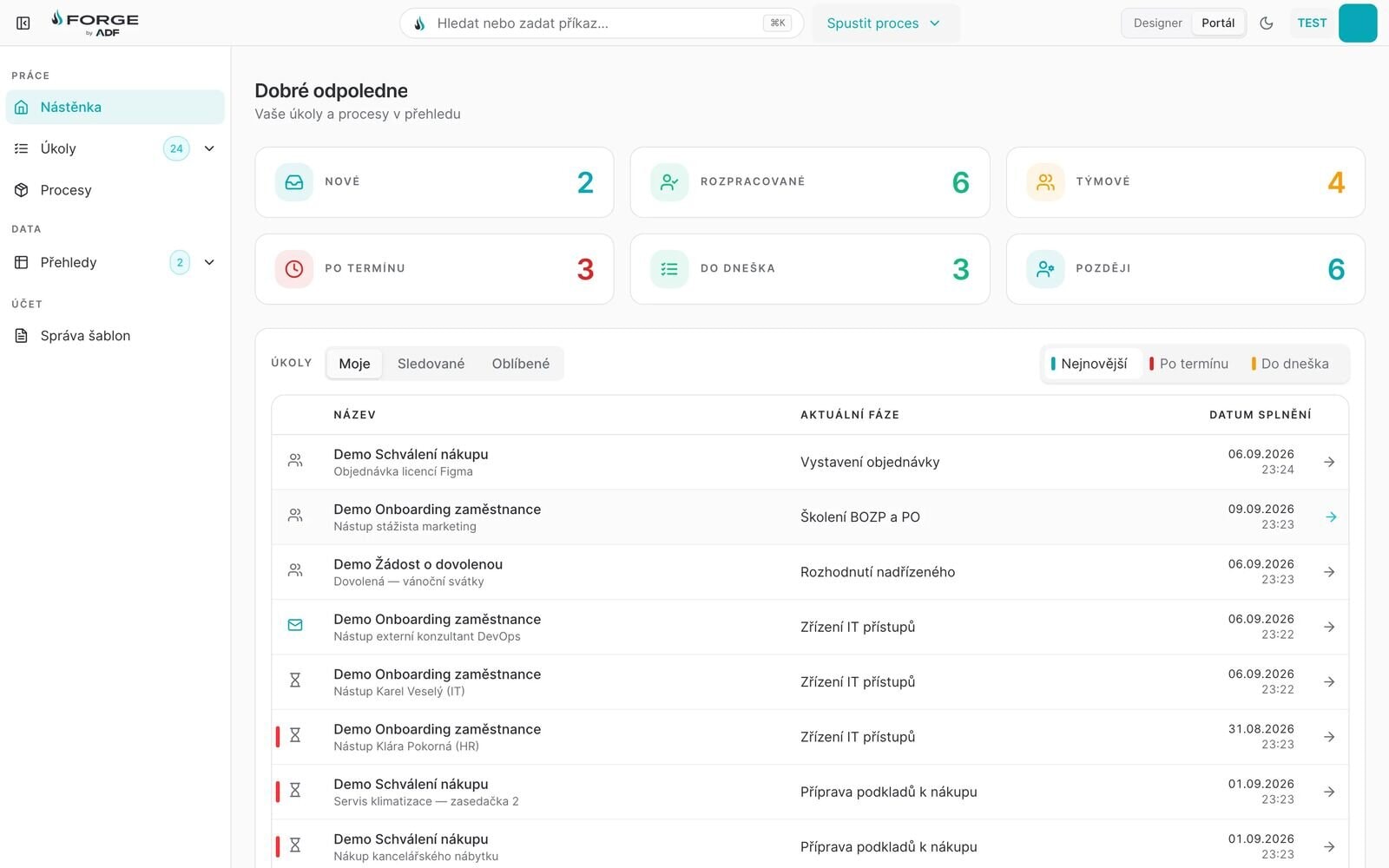
Light and dark, both first-class.
Every screen works in both themes. A full rebrand to your own colours is one theme file.
Built like enterprise software should be.
Microservices, container-native. Run it on-premises on OpenShift or Kubernetes, fully in Azure, or hybrid.
- Edge and API
REST and OData for data, processes and task management; webhooks and messaging for event-driven integration.
- REST API
- OData
- Webhooks
- Messaging
- Orchestration
A BPMN engine on Zeebe, with user and service tasks, decision tables and schedulers.
- Zeebe BPMN
- DMN
- Schedulers
- Data
SQL for models and process state; MongoDB for documents and the audit log.
- PostgreSQL
- SQL Server
- MongoDB
- Audit store
- Runtime
Container-native, on your own servers, in Azure or hybrid, as your policy requires.
- OpenShift
- Kubernetes
- Azure AKS
- On-premises
- Hybrid
Integrates both ways.
Forge calls the systems you already run, and they call Forge.
Into Forge
REST APIs for data, processes and task management, plus messaging and data-updater services.
Out of Forge
REST and OData calls from a process or a screen, webhooks, Microsoft 365 and SharePoint, IBM FileNet, file systems and SAP over SOAP.
Ready-made connectors
- Microsoft 365 and SharePoint Online
- SharePoint on-premises
- IBM FileNet
- File systems
- Active Directory and LDAP
- Single sign-on with Kerberos
- Single sign-on with OAuth 2.0
- SAP over SOAP
The details your architects will check.
- One shell, one spotlight
- The Designer and the Portal share one shell and one ⌘K spotlight for search and commands, so people learn the product once.
- Contrast-tuned, with visible focus
- Design tokens are contrast-tuned in both themes, and every control shows a visible focus ring.
- Six interface locales
- The Portal comes in six locales, Czech, English, Slovak and Hungarian among them.
- Versions lock once a request runs
- When a request has run on a template version, that version is locked. Changes go into a new version.
- Documents with required metadata
- Documents live in namespaces that require metadata, and a new upload becomes a new version in place.
Tell us the process that's costing you.
Bring one real process to the demo. We describe it to Studio together and you watch it take shape on a working platform — not on slides.